
Understand part templates and order snapshots
Understand why an existing order can show different production instructions from its part, and where to check the instructions for that order.
What an order preserves
When you create an order from a part, the order captures its own production steps and their instructions. This copy is the order’s snapshot.
Later edits to the part’s production instructions do not automatically rewrite that existing order. A later order can therefore have different instructions even though both orders link to the same part.
A worked example
Part C110-RD-0100 describes .0100-inch copper wire. Its routing includes two Wire Drawing steps separated by Annealing.
The first drawing step calls for drawing .0200-inch wire to .0160-inch diameter. After order 100365 was created, the part’s instruction was changed to require recording diameter every 10 lb as well as at start-up and spool changes. Order 100366 was created after that change.
| Record | Inspection requirement on the first Wire Drawing step |
|---|---|
| Earlier order, 100365 | Check diameter at start-up and each spool change. |
| Updated part | Record diameter at start-up, every 10 lb and each spool change. |
| Later order, 100366 | Record diameter at start-up, every 10 lb and each spool change. |
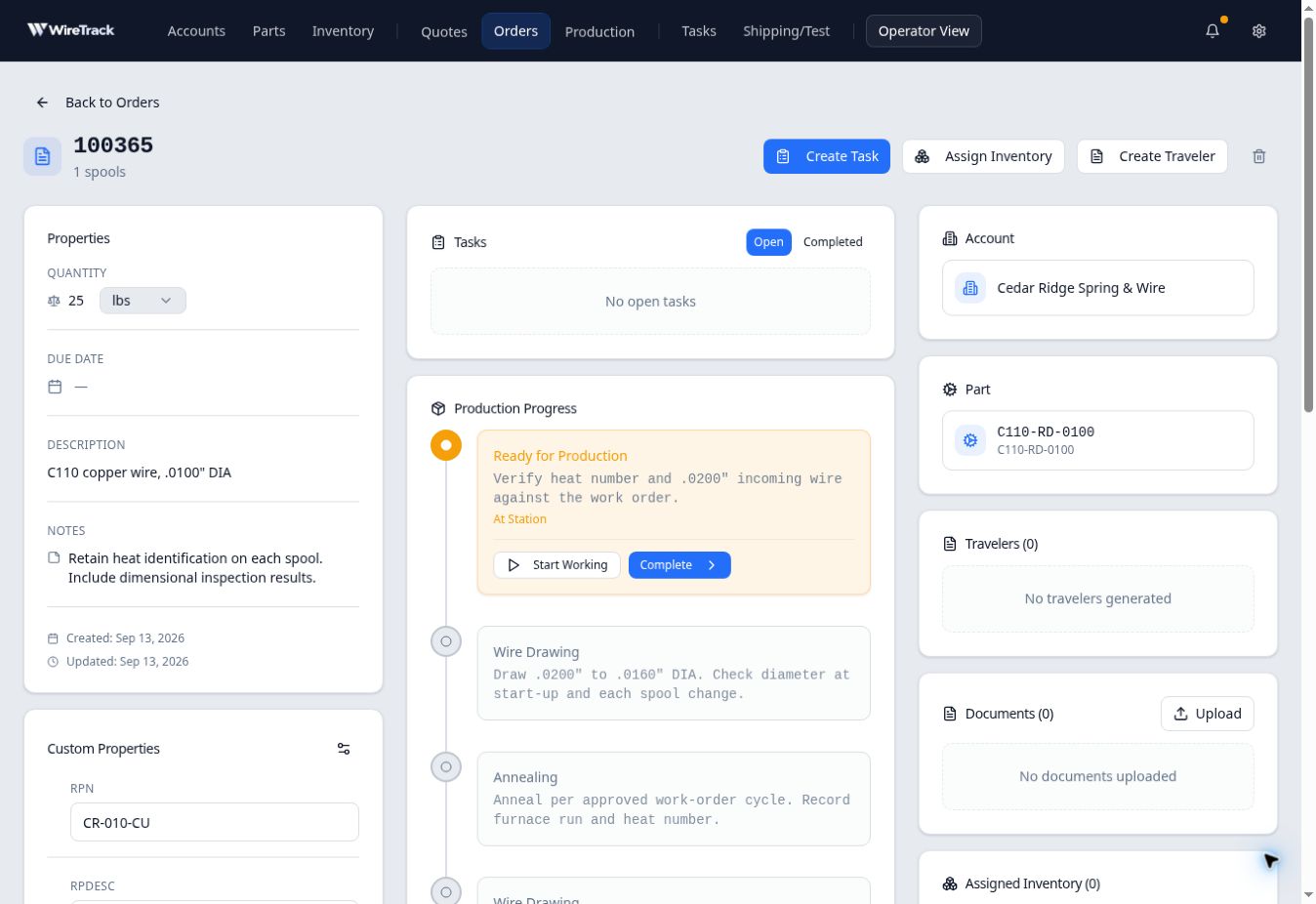
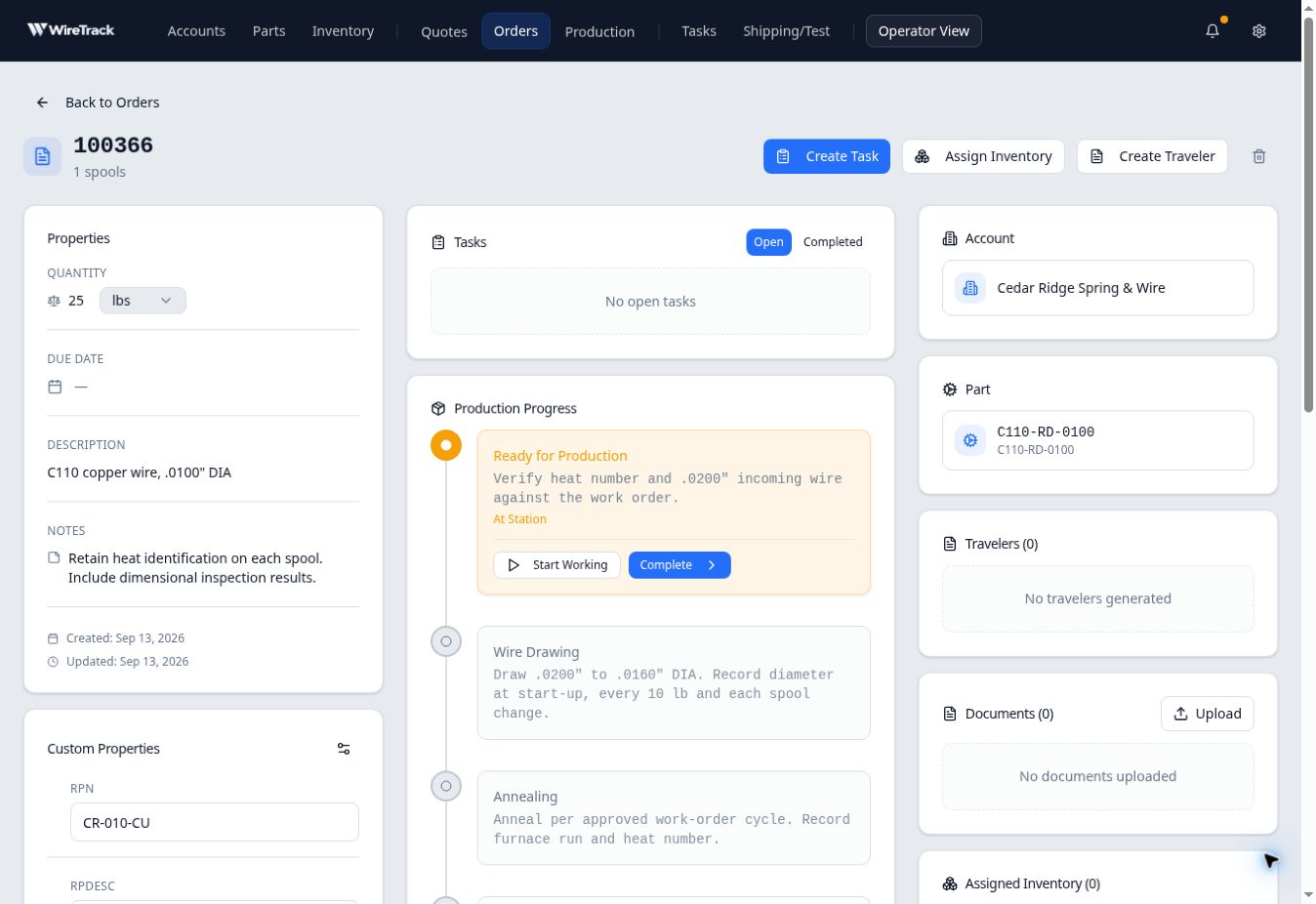
Check the instructions for a particular order
- Open Orders and select the order.
- Confirm its order number and linked Part.
- Read the steps and instructions in Production Progress.
- If you are preparing a traveler, compare its preview with these order instructions.
In this example, a traveler generated for the earlier order also retained the original inspection instruction, even after the part had been updated.
When the instructions need to change
Do not assume that editing the part updates work already booked. Ask the person responsible for that order to review its instructions and decide how the change should apply.