
Send work back for rework
Return work from a selected production step to the previous routing step, choosing whether it also remains at the source.
Before you start
Confirm that the work should return to the previous step and that you have permission to move it. Read the work instruction and surrounding steps before choosing an occurrence of a repeated stage name.
The example order 100369 already has work at the first Wire Drawing step and at Annealing after a partial forward move.
Return work to the previous step
- Choose the source step
Open the order and find Production Progress below Tasks. On the active step you want to send back, select Move Back, to the right of its action buttons beneath the instruction.
In the example, selecting it on the first Wire Drawing step opens Send Wire Drawing back to Ready for Production? Check both names before continuing.
- Choose entire or partial rework
Choose the option that matches the intended result:
- Send Entire Order Back moves the work at the selected source position to the previous step.
- Send Part of Order Back retains the source position and adds a position at the previous step.

Check the source and destination named in the dialog, then choose the movement scope. - Confirm and reopen
Select the matching confirmation button at the bottom right of the dialog. Reopen the order and check the affected step and any other active positions.
Here, Send Entire Order Back returned the drawing work to Ready for Production — At Station. The separate Annealing position remained At Station.
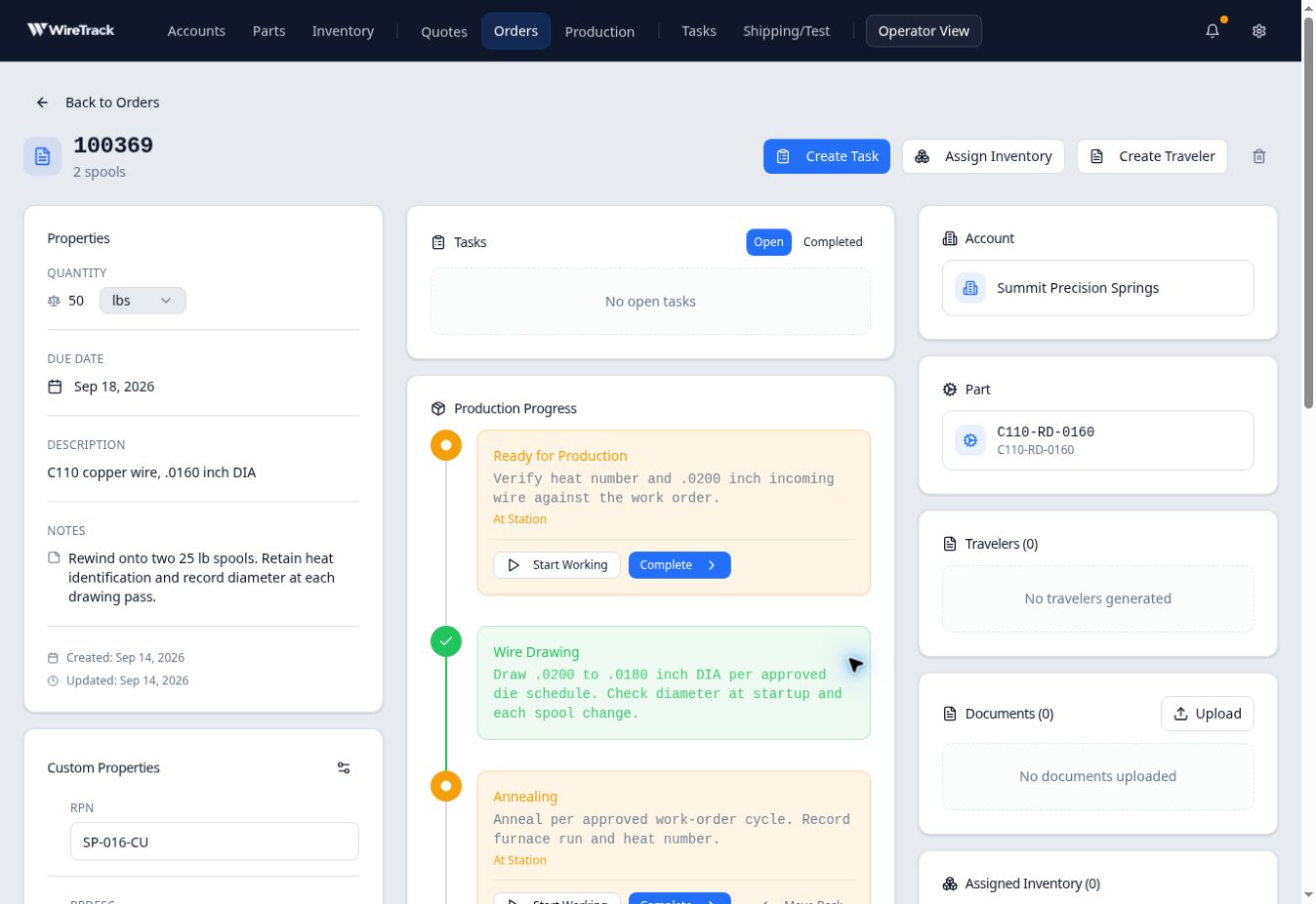
Returning the selected drawing work did not bring the separate Annealing position back with it.
Understand the scope when work is split
In a separate check on the same order, Send Part of Order Back from Annealing added work at the earlier Wire Drawing step while retaining Annealing and Ready for Production. The order still showed 50 lbs. As with partial forward movement, the dialog did not record a measured quantity split.
After rework, active earlier and later steps can coexist. Read their status labels and instructions; a green check on an intervening step alone does not mean every portion of the order is finished there.