
Move part of an order forward
Keep work at its current step while adding the next production position, and understand what the partial-movement dialog records.
Before you start
You need an order with a production routing, access to its movement controls, and work ready to advance to the next step. Confirm which routing occurrence is moving, especially when a stage appears more than once.
The example uses order 100369, a 50 lb order for .0160-inch C110 copper wire. Some work will remain at the first Wire Drawing step while work also appears at Annealing.
Move part of the order
- Find the current step
Open the order in Orders and confirm its number. Find Production Progress below Tasks. Locate the active Wire Drawing step and read its instruction; here it draws .0200-inch stock to .0180-inch diameter.
- Open the movement choices
Select Complete beneath that step’s instruction. Check the source and destination in the confirmation heading: Complete Wire Drawing and move to Annealing?
- Choose the partial option
Select Move Part of Order, the lower option in the dialog. Read the explanation: the order stays at Wire Drawing and also appears at Annealing. Select the Move Part of Order confirmation button at the bottom right once the destination is correct.

The partial option keeps the current position and adds the next one. - Check both positions
Reopen the order and inspect Production Progress. In this example, Wire Drawing remained Working on it, while Annealing appeared At Station. The later Wire Drawing step after Annealing remained ahead.
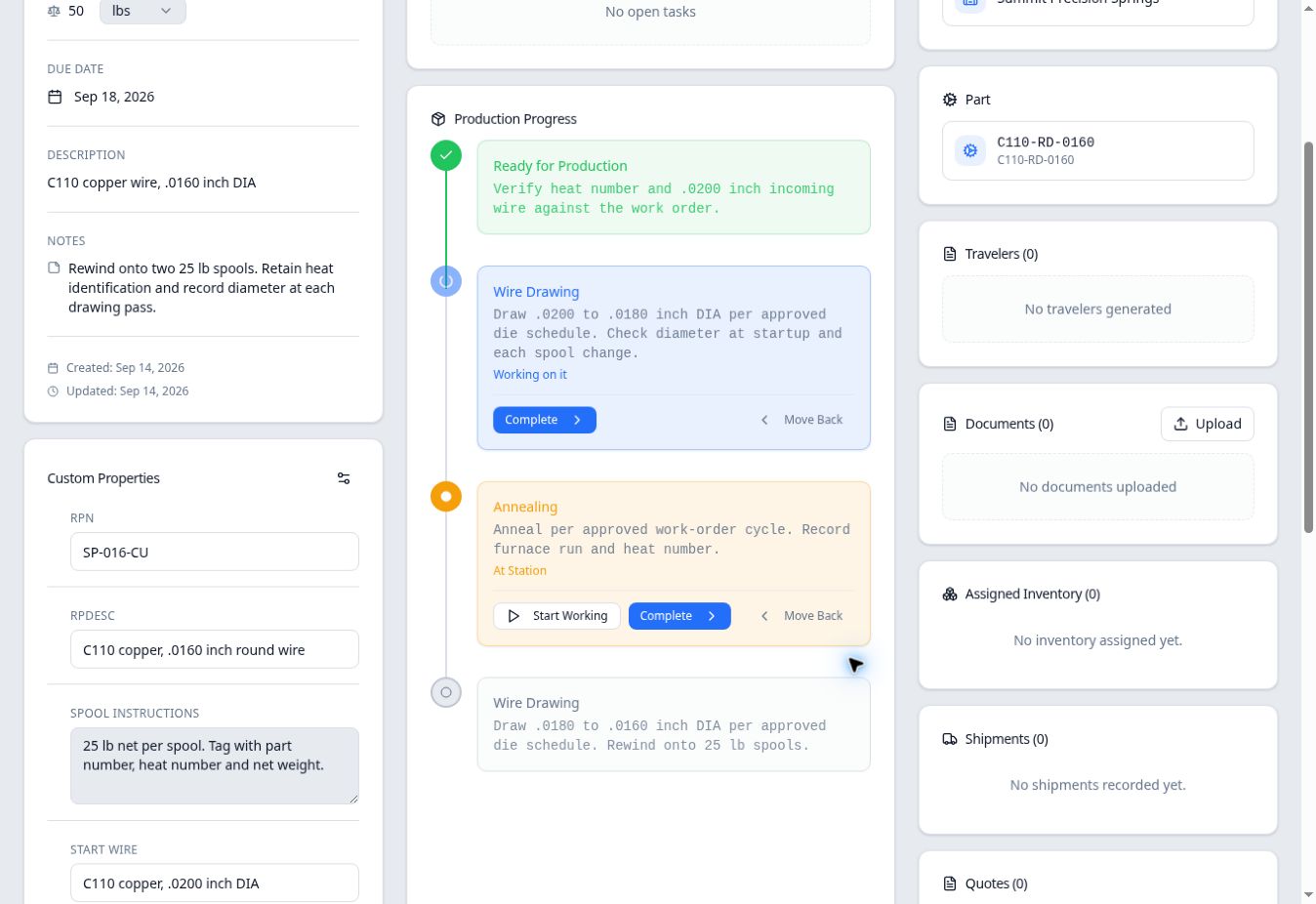
A partial move can leave the same order active at two different steps.
What happens to quantity?
Use your shop’s agreed material-identification and quantity-recording process alongside the production positions. Do not add the full order quantity shown at each station and treat that total as additional stock.