
Read an order’s production progress
Interpret an order’s current step, work status and routing-position percentage, including a routing that repeats the same production stage.
Start with the order’s routing
Open the order from Orders and find Production Progress below Tasks. Read the steps in sequence and the instruction beneath each one.
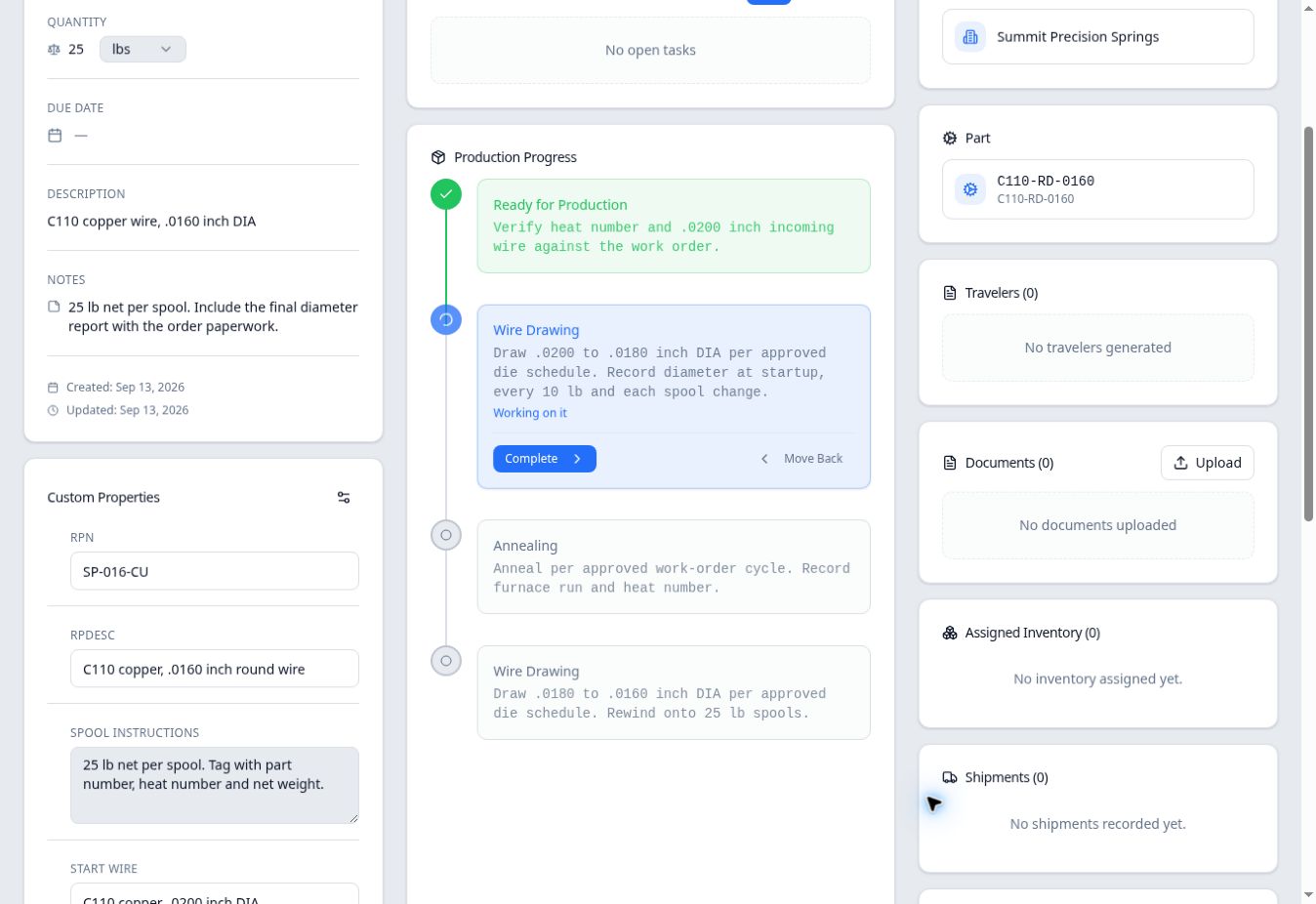
Order 100367 for Summit Precision Springs has four steps:
- Ready for Production — verify the incoming wire and heat number.
- Wire Drawing — draw .0200-inch stock to .0180-inch diameter.
- Annealing — follow the approved work-order cycle.
- Wire Drawing — draw .0180-inch wire to .0160-inch diameter and rewind.
Both drawing steps use the same stage name, but they occupy different positions and have different instructions. Identify the step by its place in the routing and its instruction, not the stage name alone.
Read the current work status
In the example, moving the whole order from Ready for Production to the first Wire Drawing step changed the earlier step to a green check. The drawing step initially showed At Station. After Start Working was confirmed, it showed Working on it; the board and table displayed In Progress.
| Display in this example | How to read it |
|---|---|
| At Station | The order is at that routing step; work has not been marked started there. |
| Working on it / In Progress | Work has been marked started at the current step. |
| Earlier green checked step | In this whole-order example, the order has moved beyond that step. |
| Later muted steps | Those steps remain ahead in this example’s routing. |
This example follows the entire order along one path. If portions of an order are at different steps, review that situation separately rather than assuming this single-path example describes every portion.
Understand Step 2 of 4 and 50%
On the Production board, selecting the Wire Drawing heading at the top of its column and searching for 100367 in the station panel showed Step 2 of 4 · 2 left and 50%.
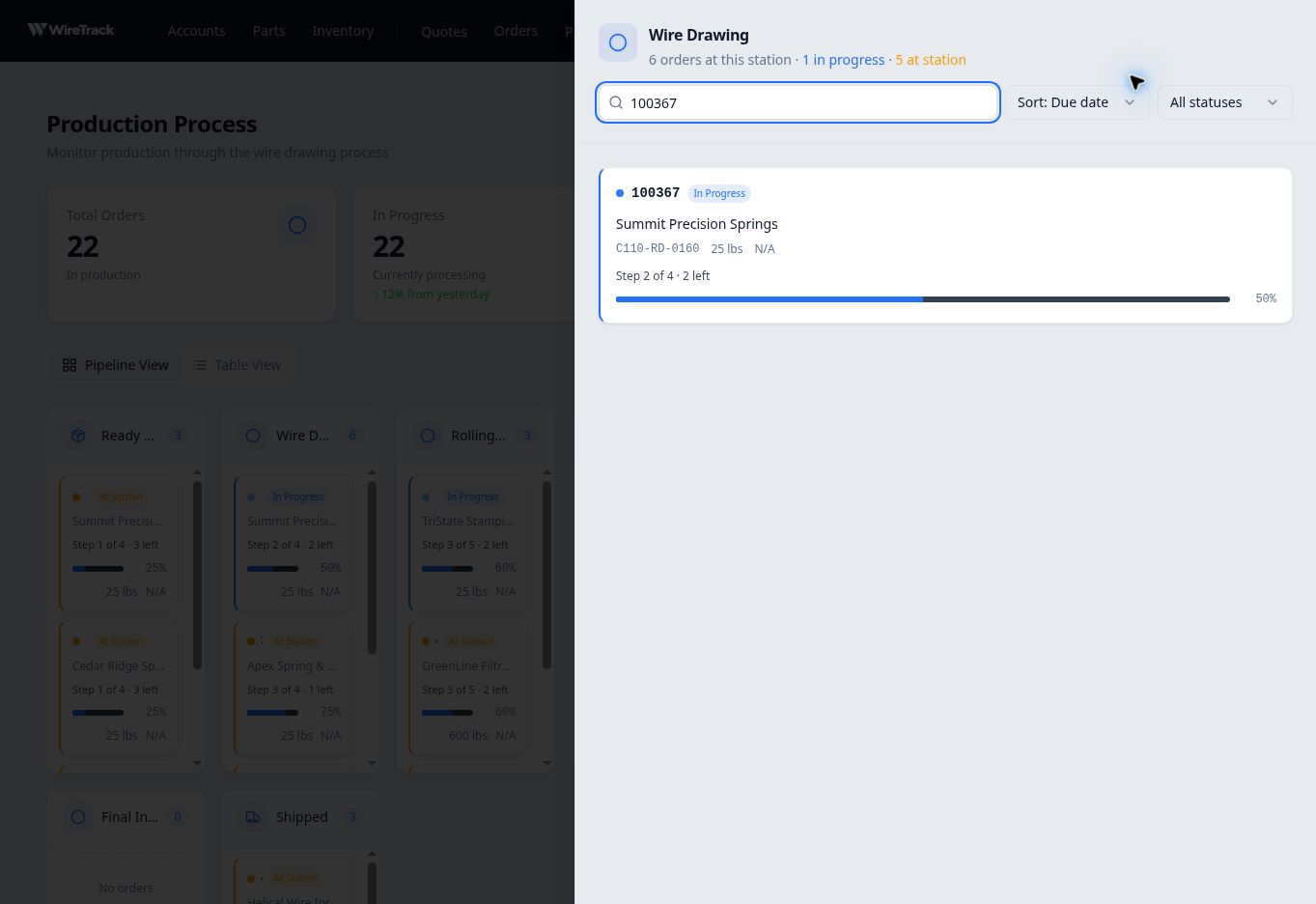
The percentage is based on the current step’s position divided by the number of routing steps. Here, 2 divided by 4 gives 50%. At the first step, the same order showed 25% before any movement.
Before taking the next action
Check the current step and its instructions before starting or completing work. Use Start work and move an order to the next step in Related reading for the movement procedure. Keep order quantity and physical spool information separate from the routing-position bar.