
Start work and move an order to the next step
Use an order’s Production Progress to start the current step, then move the entire order to the next step and verify the result.
Before you start
Open an order with production steps and access to the Start Working and Complete controls. Confirm the order number and read the current step’s instructions.
This procedure moves the entire order through a non-final step. Stage names depend on the order’s routing. The example moves from Ready for Production to the first Wire Drawing step.
Start and advance the order
- Find the current step
From Orders, open the order and find Production Progress. The current step shows At Station and its available actions.
- Start working
Select Start Working on that step. In the confirmation dialog, check the named stage and select Start Working again. The step changes to Working on it.
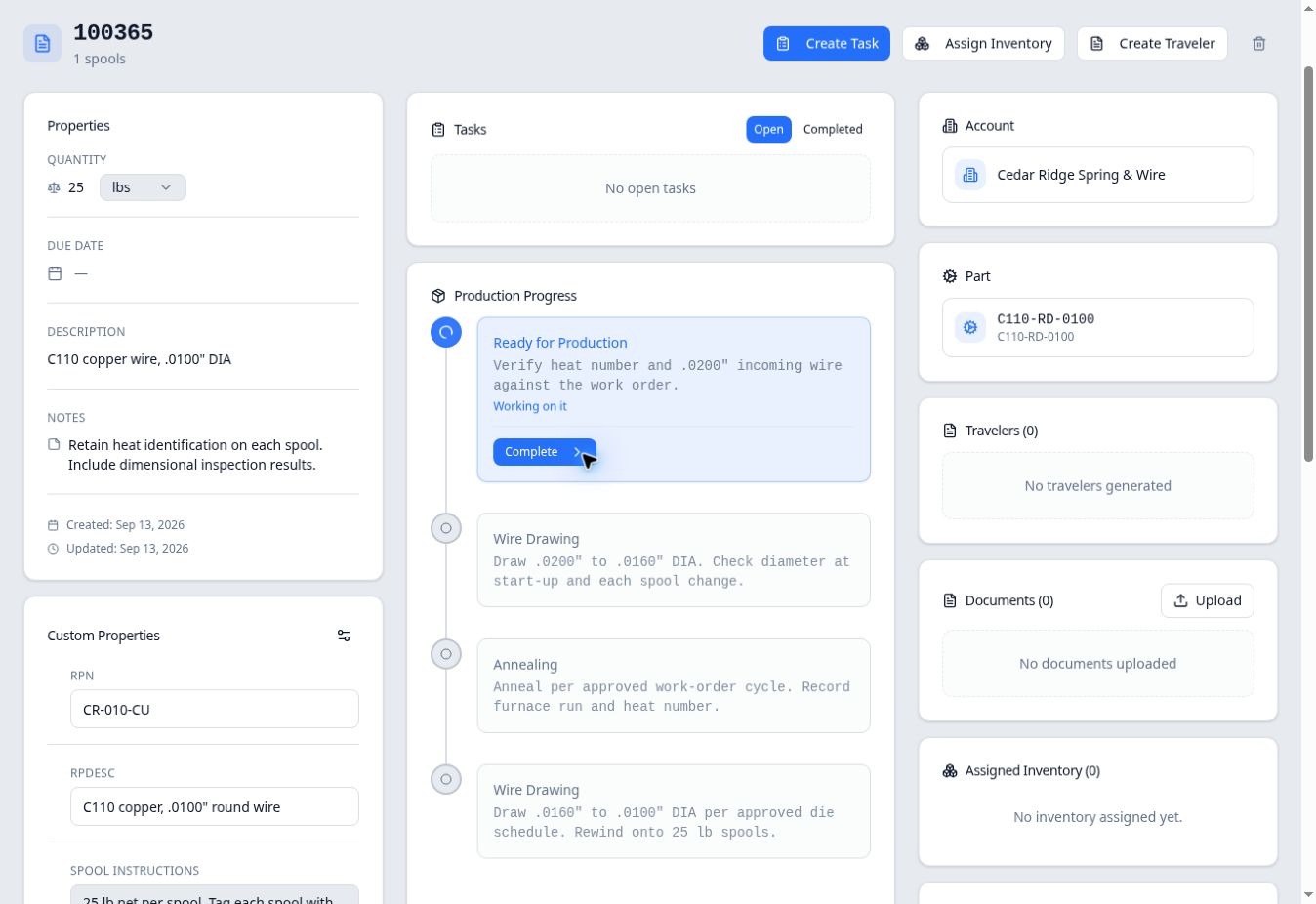
Working on it identifies work started at the current step. - Complete the step and choose how to move
When the work for that step is finished, select Complete. Read the confirmation heading: it names the step being completed and the destination.
Keep Move Entire Order selected for this procedure. The dialog also offers Move Part of Order, which describes leaving the order at the current stage while also showing it at the next stage. That is a different workflow.
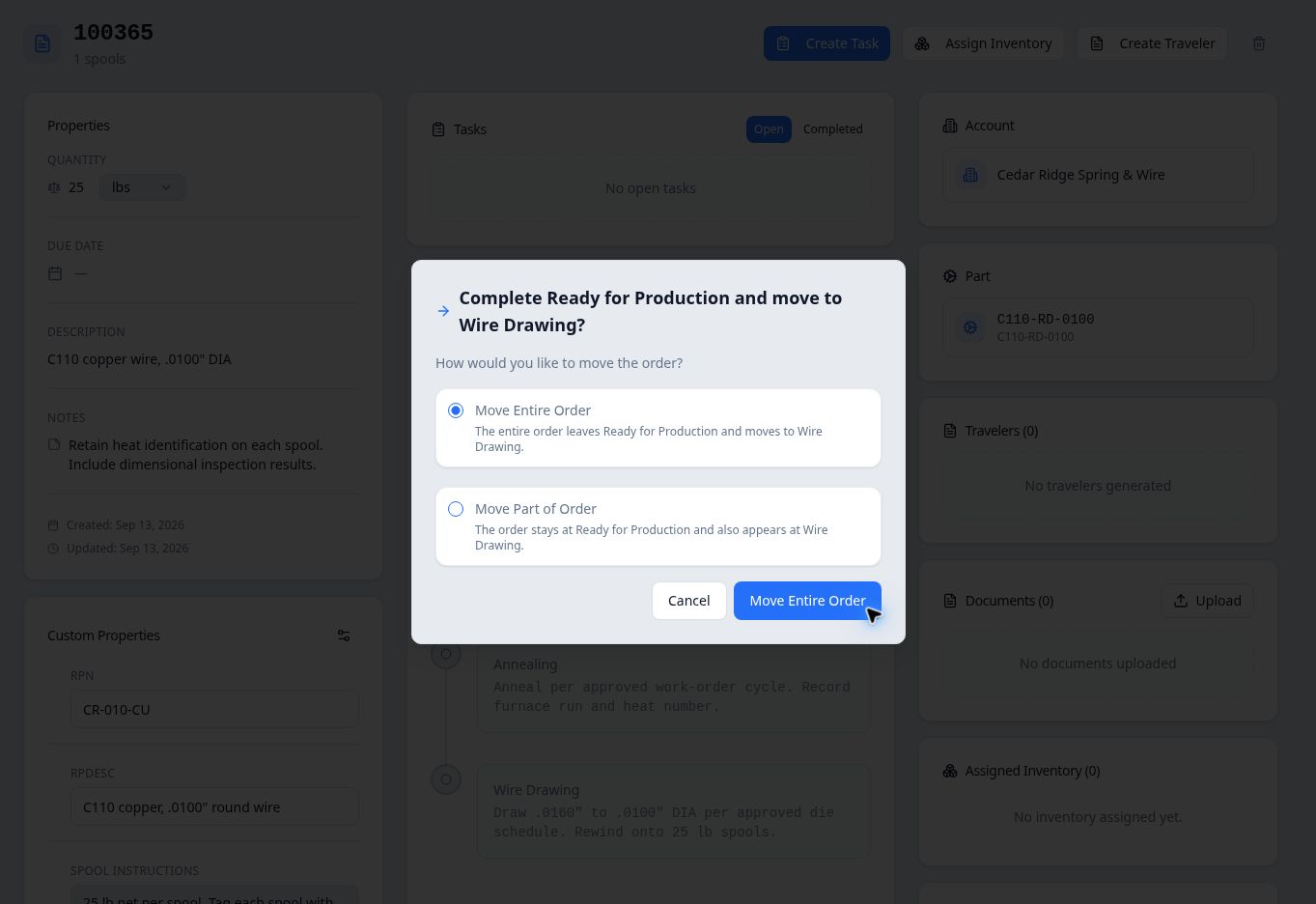
Check the destination before confirming Move Entire Order. - Confirm the move and reopen the order
Select the Move Entire Order button. Reopen the order and check Production Progress. The previous step should show a completion check, and the next step should show At Station.
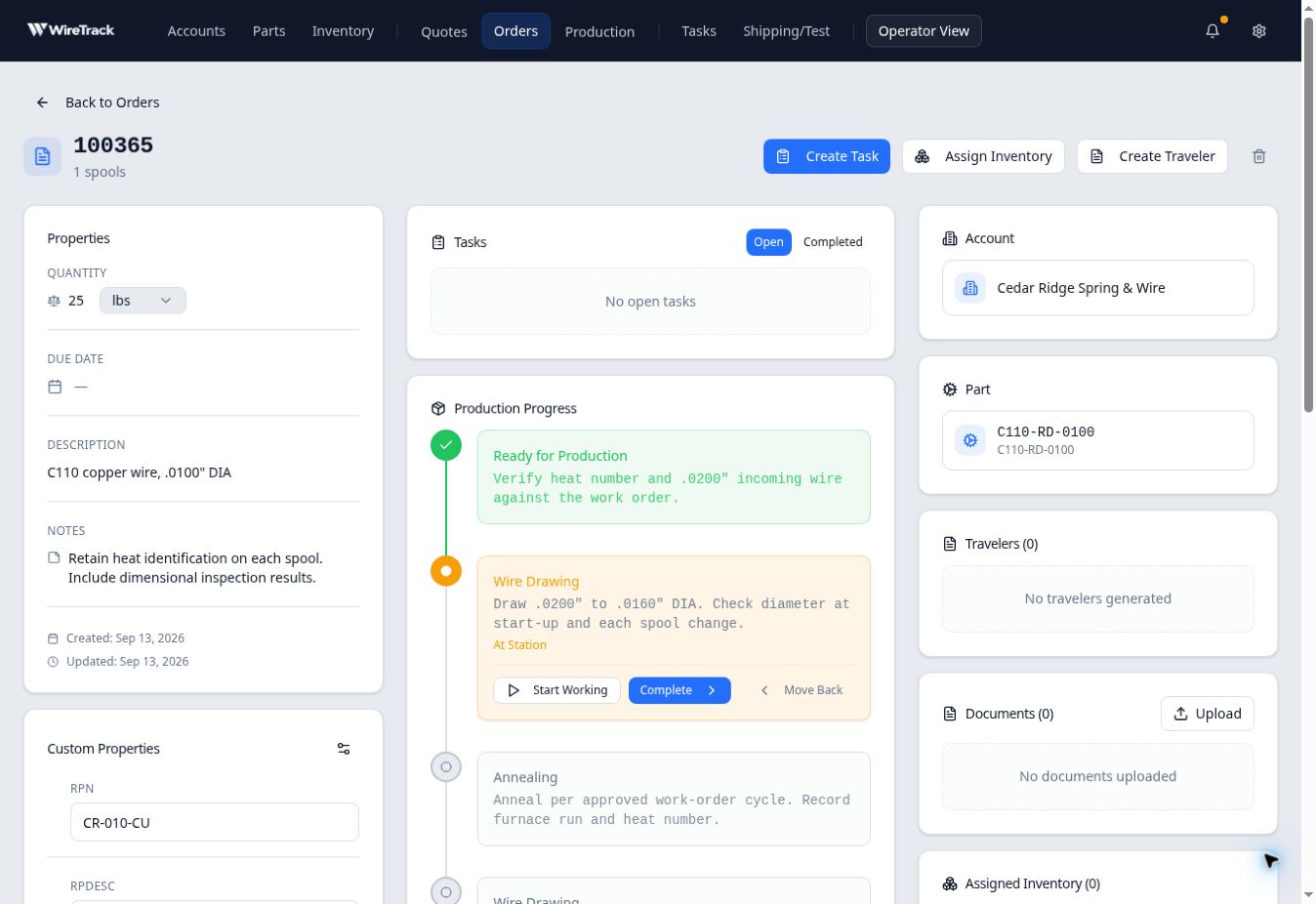
The order is at the next step and ready for work to start there.
Expected result
If a routing repeats a stage, read the surrounding steps and instructions to identify the correct occurrence. In this example, the second Wire Drawing step remains later in the sequence.