
Find open and shipped orders
Use the Open, Shipped and All views to find an order, then inspect its recorded shipment history.
Before you start
You need access to Orders. Have an order number, account name or part reference ready if you are looking for a specific job.
Find the order
- Choose the order view
Open Orders in the top navigation. Above the table, select Open, Shipped or All, beside Add filter on the right.
View What it shows Open Orders that are not fully shipped. Shipped Orders whose spool records have all been included in recorded shipments. All Both open and shipped orders, still narrowed by any search or other filters. - Search within that view
Enter an order number, account name or part reference in Search by order #, account, or part…, above the table on the left. The example searches for Summit with Open selected.
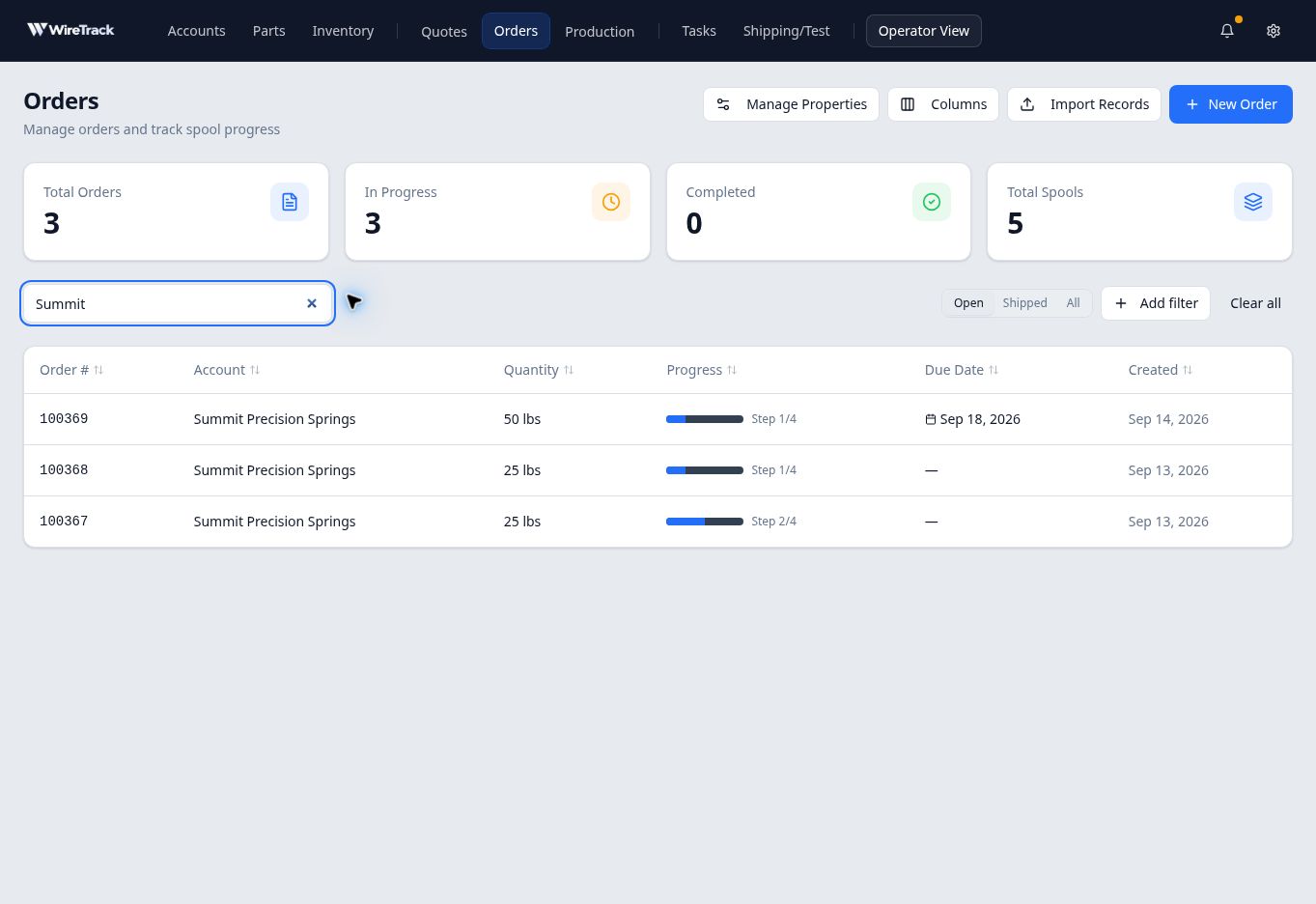
Choose a status view, then search within it. Search stays in place when you switch views. In this example, changing to Shipped returned No shipped Orders match the current filters. Selecting All brought the same three matching orders back.
- Look through shipped orders
Select Shipped. If you want to browse all shipped orders, empty the search box and remove any additional filters. The example below has no search or additional filters applied.
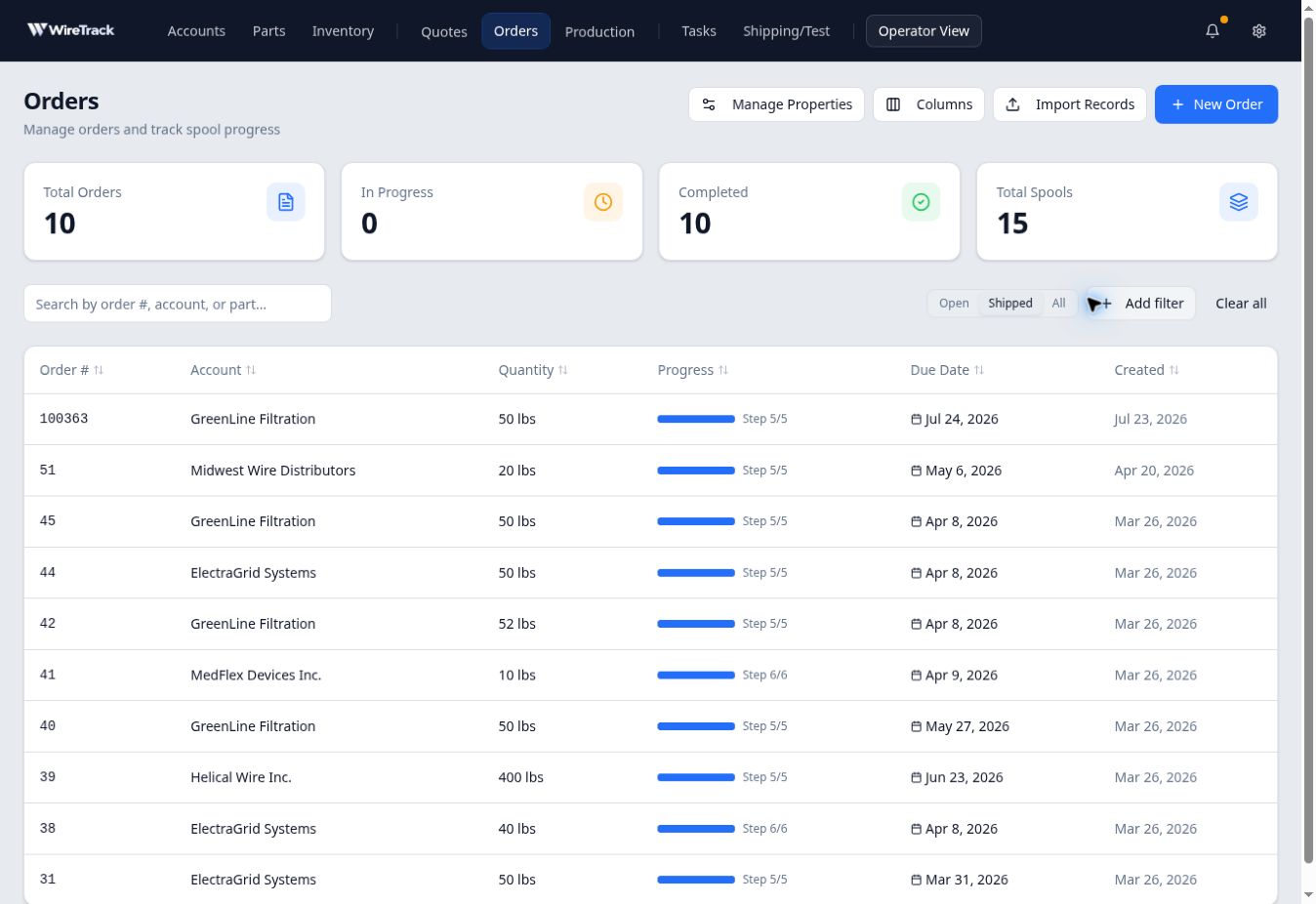
The Shipped view lists orders classified as fully shipped. Select an order’s row to open its full record. Confirm the order number and account before reviewing its details.
Read the shipment history
On the full order page, scroll to Shipments, in the right-hand column below Assigned Inventory. Select a dated shipment entry to open Shipment Detail. The panel shows the shipment date, order, account and Included items.
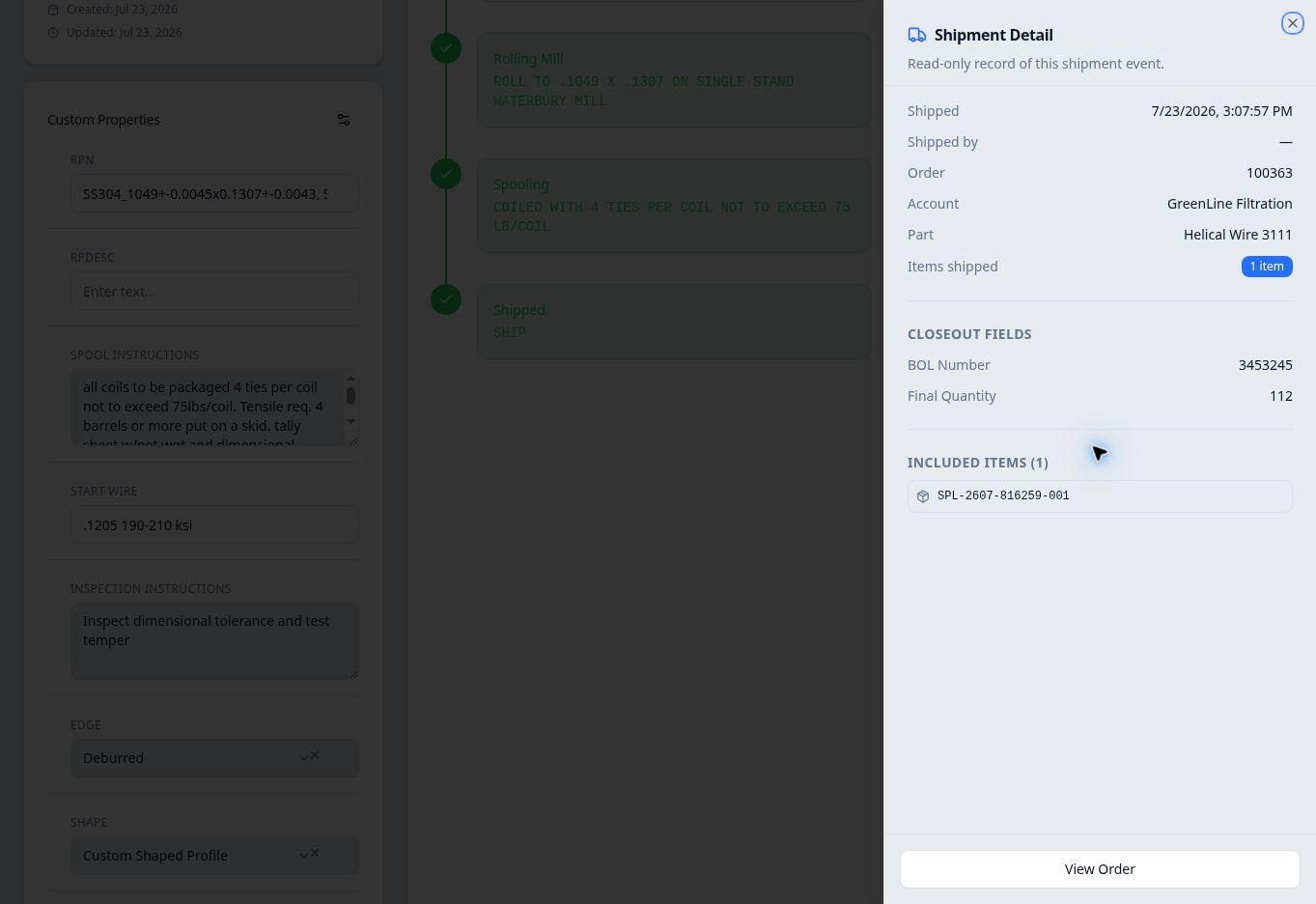
In this example, order 100363 has one spool and a recorded shipment that includes it. Close, at the panel’s upper right, returns you to the order.
Why a completed-looking order can still be open
The production progress bar and the Open / Shipped view answer different questions. A full progress bar or a production stage called Shipped does not by itself establish that a shipment has been recorded.
For example, order 100361 had one spool at Spooling and another at the Shipped stage, but its Shipments section said No shipments recorded yet. It remained in Open.
If you cannot find an order
Select All, then check the search text and any additional filters. An empty result in Shipped means that no orders match that combination of view, search and filters; it does not mean the order was deleted.