
Understand scheduled dates versus actual progress
Distinguish a planned step-completion date from work status, production movement and the order’s overall due date.
A scheduled date is a plan
A step’s scheduled completion date describes when you intend to finish that step. It does not by itself start work or move the order to another production position.
In order 100369, the first Wire Drawing step was scheduled for September 16 and the later Wire Drawing step for September 17. The first was In Progress; the later step was Scheduled.
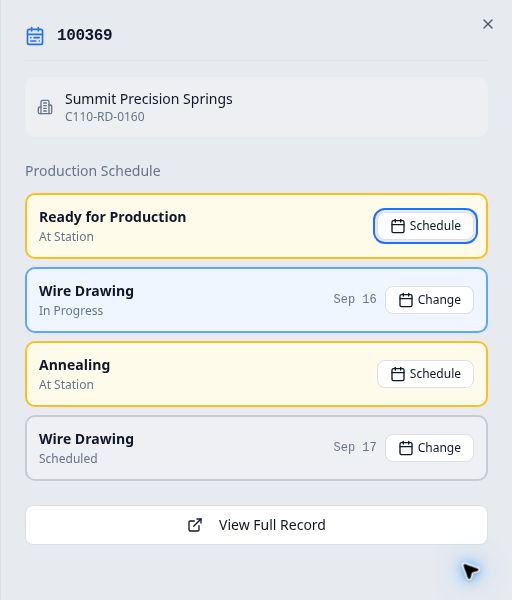
Compare the plan with the full order
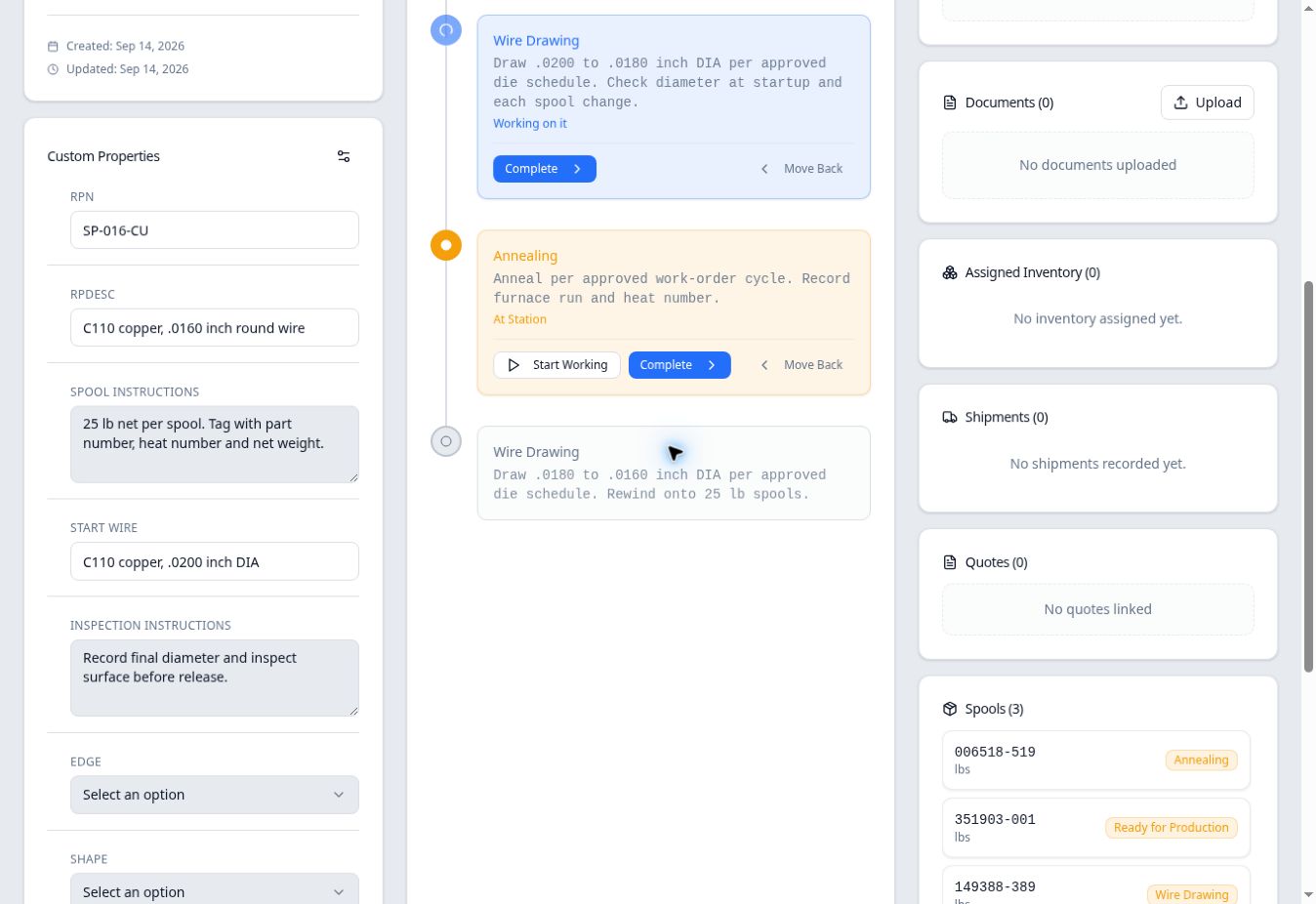
From Production → Scheduling, select the order’s card, then View Full Record at the bottom of the right-hand panel. Find Production Progress below Tasks.
After saving and changing the dates, this order still had work at Ready for Production, the first Wire Drawing step and Annealing. The first drawing step was Working on it. The later drawing step after Annealing had not become active just because September 17 had been assigned to it.
Keep these values separate
| Value | What it answers |
|---|---|
| Step scheduled completion date | When is this routing occurrence planned to finish? |
| Order Due Date | What due date is recorded for the order as a whole? |
| At Station / Working on it | Has work been marked started at this position? |
| Routing position and percentage | Where is the work within the routing? |
| Order quantity | What quantity is recorded on the order? |
In the example, editing the step dates left the order Due Date at September 18, its quantity at 50 lbs, and its three existing production positions unchanged.
Overdue does not move the order
Giving an active step a date earlier than today can make it Overdue in Scheduling. In this check, Ready for Production showed Overdue for September 13 on September 14, while the full record still showed it At Station. It had not automatically started or moved forward.