Understand Parts and Item Catalog
Choose the right place for production instructions and reusable commercial items.
Two records for different work
Use Parts for a manufactured part’s identity, specifications and production instructions. Use Item Catalog, in the Quotes navigation menu, for reusable items you can select when building a quote.
| Record | Example | What to look for |
|---|---|---|
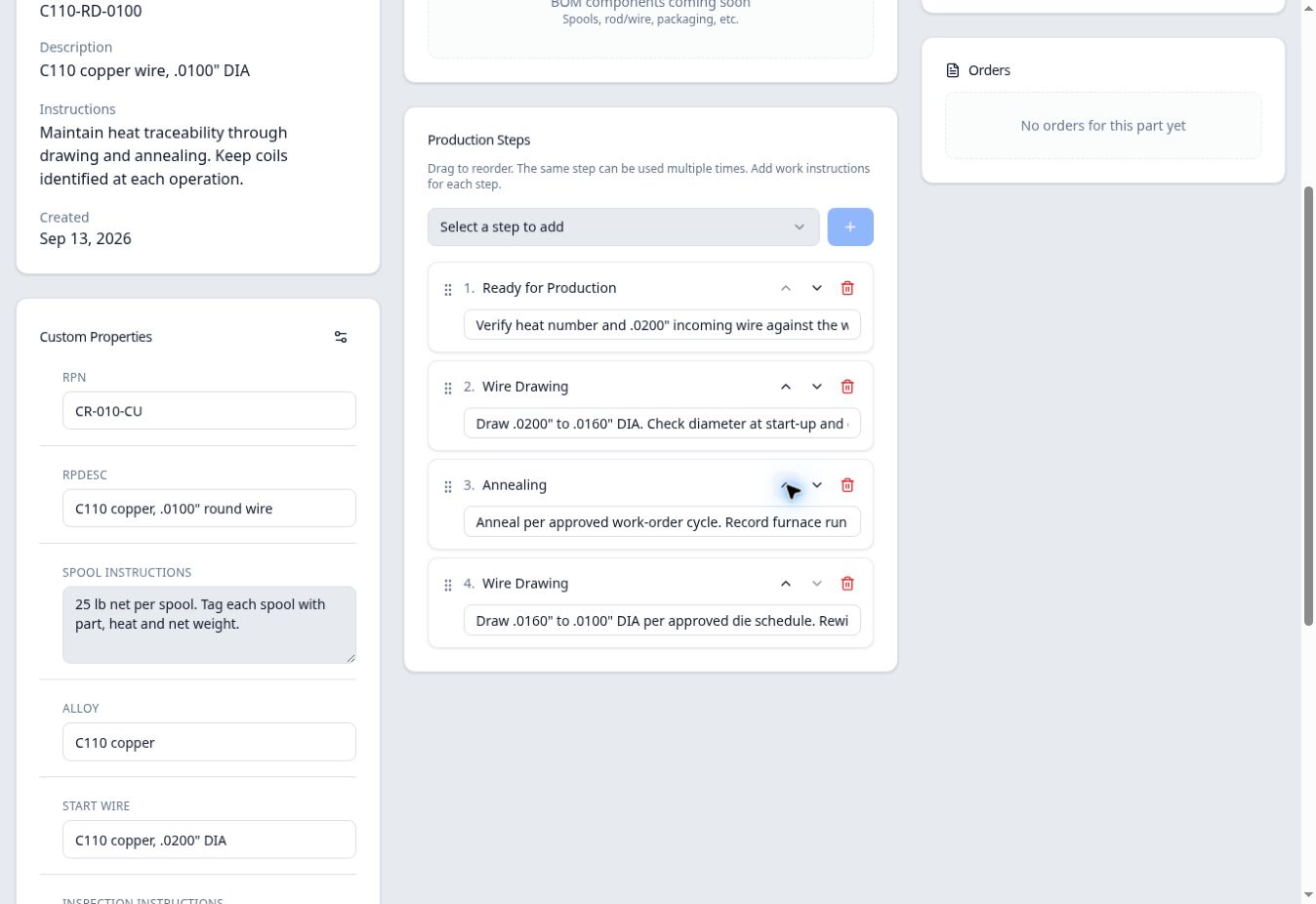
| Part | C110-RD-0100, .0100-inch copper wire | Part description, specifications and the ordered Production Steps. |
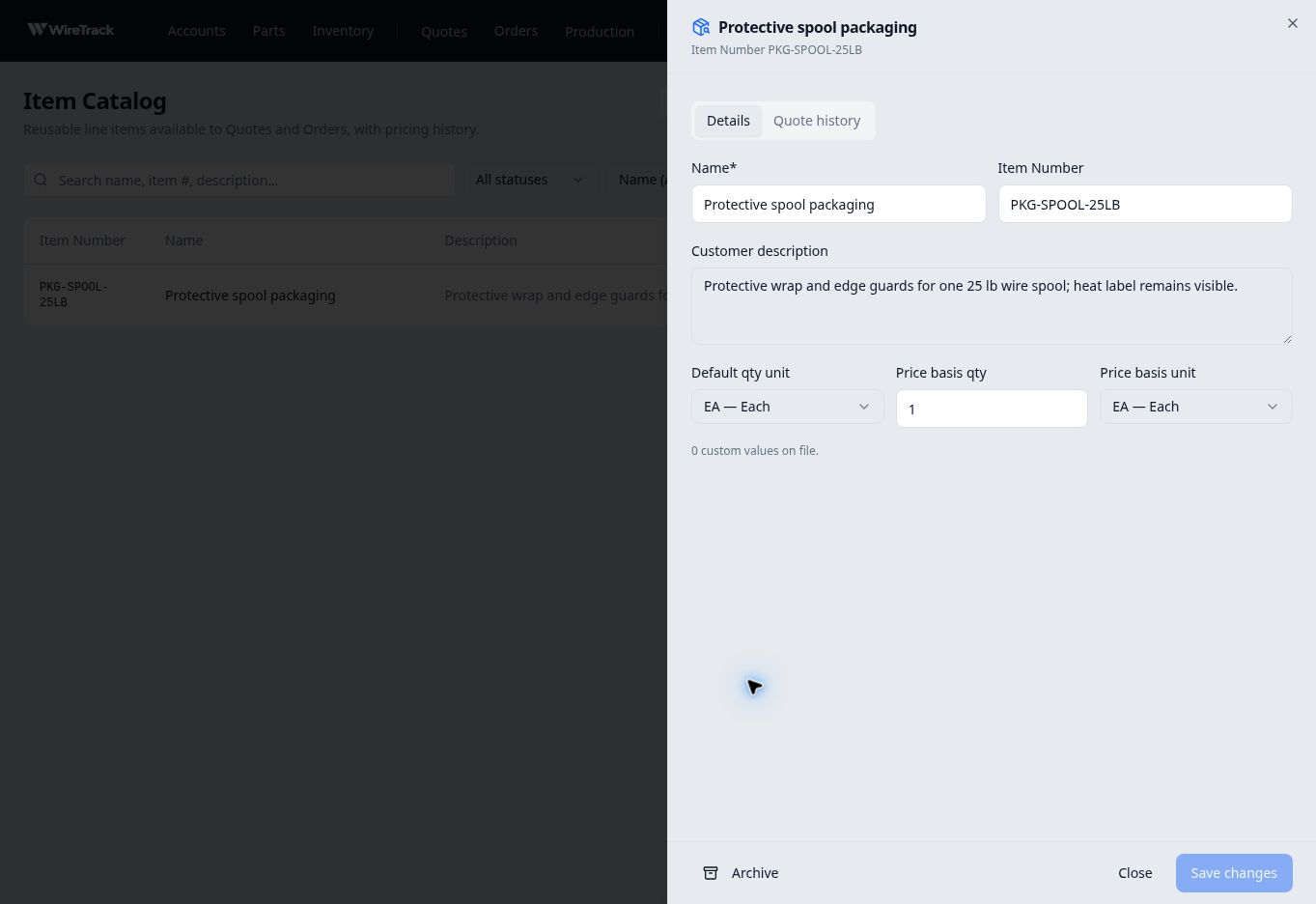
| Standalone catalog item | PKG-SPOOL-25LB, Protective spool packaging | Item number, customer description, quantity unit and price-basis defaults. |
| Quote line | Packaging selected into a draft quote | The item’s copied description and the prices offered for that quote. |
A part describes production
The copper-wire part has Ready for Production, Wire Drawing, Annealing, then another Wire Drawing step. Each step has its own instructions. These are the details used when preparing production work from the part.
A catalog item supports a reusable quote line
The packaging item describes protective wrap and edge guards for a 25 lb spool. Its Default qty unit is EA — Each, with a Price basis qty of 1 and Price basis unit of EA — Each.
These fields describe the units used when entering pricing. They do not set the selling price. After adding this item to a draft quote, its line initially showed No offers yet; pricing was entered separately under Pricing & offers.