
Edit a quote line's customer description
Review and edit the customer-facing wording on a draft quote line, then confirm the saved text in Preview.
Before you start
Open a Draft quote revision in the Composer's Edit mode. Know which line needs different wording.
A line's Name identifies it in the document. Customer description provides the accompanying detail. For example, the reference line Heat-label visibility tells the customer how the spool label should remain visible after wrapping.
Edit and save the description
- Select the line
Find the relevant section and select its line. The Edit line panel opens on the right.
In this example, select Heat-label visibility in Handling notes. Confirm the Name so you edit the intended line.
- Enter the customer-facing wording
Edit Customer description, below Name. Use wording that belongs on the customer's quote.
The example says: Keep each heat label visible after wrapping the spool. It appears in Customer description; Internal notes is a separate field below it.
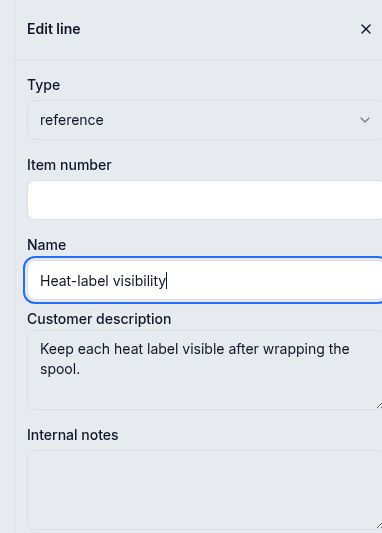
Check the line name, then enter the wording in Customer description. - Save the line
Select Save at the bottom of the line editor. After the save finishes, check the wording. Reopen the line if you need to confirm it persisted.
The example's description remained intact after reopening the draft. With no pending edits, Save and Cancel were disabled.
- Check the quote's Preview
Select Preview at the top of the Composer. Find the same section and line in the document, then read the description as the customer will see it.
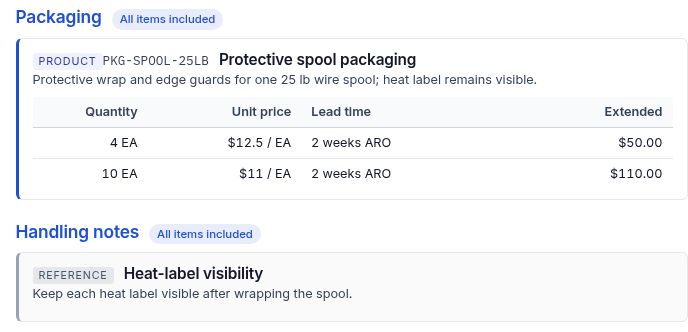
The saved sentence appears under Heat-label visibility in Handling notes.
Expected result
Catalog descriptions
When the packaging item in this example was added with Add item only, its catalog description appeared on the new product line. Review that text in the line editor before using it in the quote. The manual editing steps above also apply when the line already has text.