Add a catalog item to a draft quote
Select an existing catalog item or create a reusable product inside a draft quote.
What is a catalog item?
A catalog item is a reusable item record in Item Catalog. It holds the item’s name, item number, customer description and unit defaults so you can select the same item when preparing quotes.
For example, PKG-SPOOL-25LB — Protective spool packaging describes wrap and edge guards for a 25 lb wire spool. Its quantity unit is EA — Each, with a price basis of 1 EA.
When you add that catalog item to a quote, the Composer creates a product line in the section you selected. With Add item only, the line receives the item’s identity and description; you enter the offered quantities, selling prices and lead times on the quote line afterward.
| Record | What it contains in this example |
|---|---|
| Catalog item | Reusable packaging name, number, description and unit defaults. |
| Quote line | Packaging selected for this particular quote. |
| Pricing option | A quantity and price on that line, such as 4 EA at $12.50 per 1 EA. |
Before you start
Open a Draft quote revision in the Composer’s Edit mode. You need an existing section and the intended catalog item. Open Quotes → Item Catalog to find or create a reusable item first. The related articles below cover creating catalog items and how they differ from production parts.
Add the catalog item
- Open the catalog picker
In the intended section, select Add line → Select from Catalog…. Use the search and status controls to find the item, then select its row.
- Check the selected item
The right panel shows its name, item number, quantity unit and customer description. Confirm these before inserting a line.
For PKG-SPOOL-25LB, the panel showed Protective spool packaging, quantity in EA, and the description about protective wrap, edge guards and heat-label visibility.
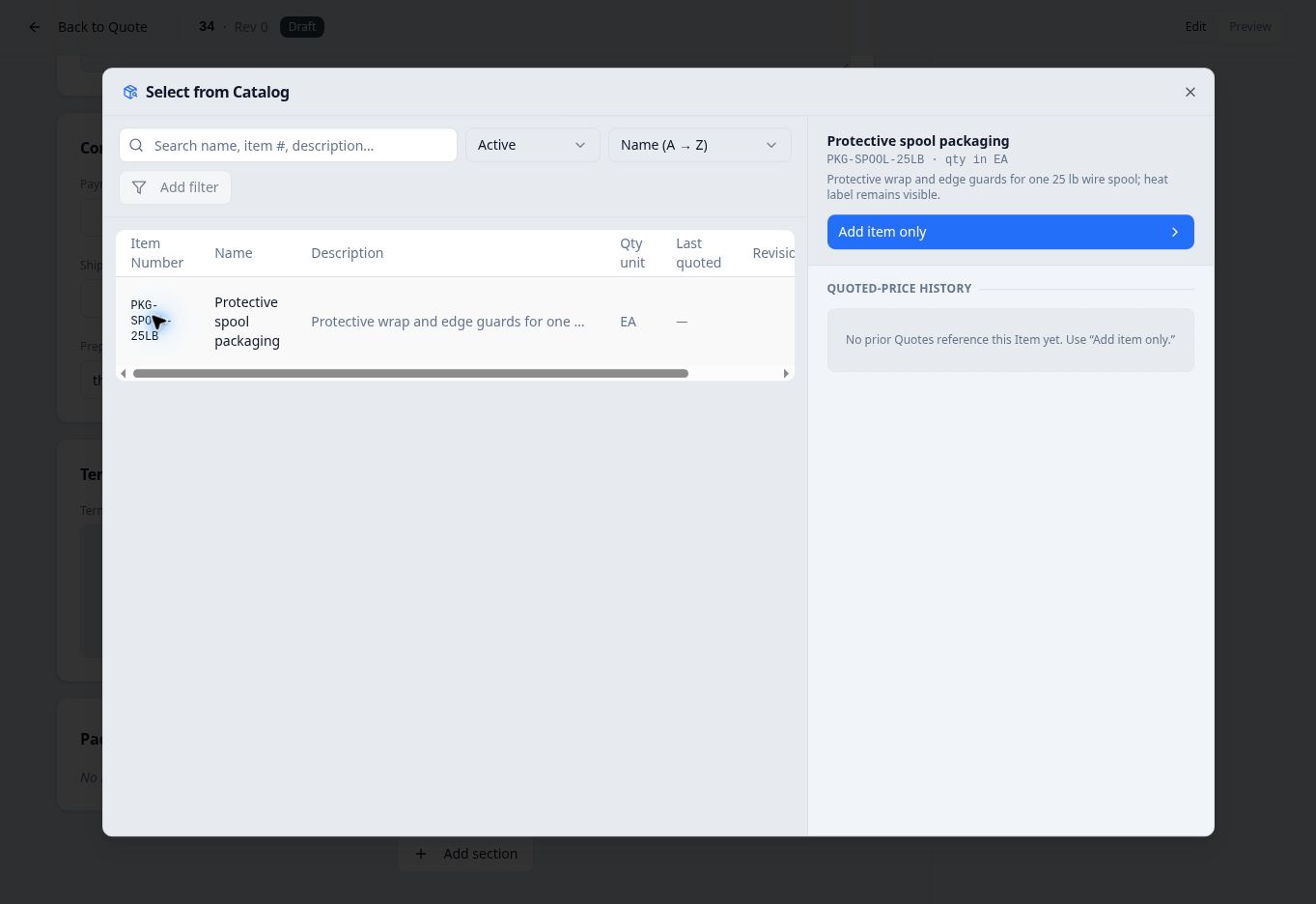
This capture shows the item before its first draft prices were saved. - Insert without historical prices
Select Add item only. The picker closes and the new product line opens in Edit line.
Check the copied item number, name and description. In this example, Pricing & offers initially showed No offers yet. Add a quantity break to enter pricing. Adding a quantity break used the item’s EA quantity unit and 1 EA price basis; quantity and price were entered separately.
Create a reusable item inside Composer
If the item does not yet exist, you can create it while building the quote. In the intended section, select Add line → Create new product….
The Create new product form states that it adds a new catalog product and inserts it as a product line on this quote. Enter Name, Item Number, Customer description, Default quantity unit and, when needed, both parts of Default price basis.
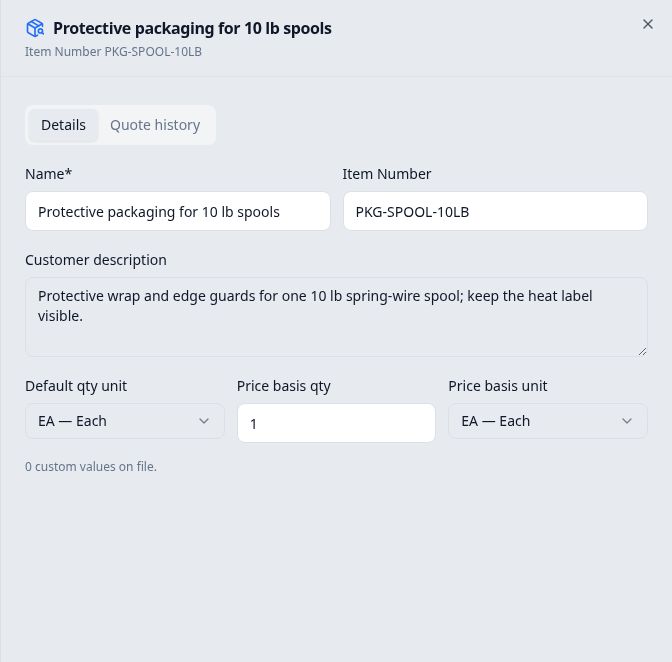
For example, PKG-SPOOL-10LB — Protective packaging for 10 lb spools used quantity unit EA — Each, price-basis quantity 1, and price-basis unit EA — Each. Its description specified protective wrap, edge guards and a visible heat label.
Select Create product once. The form closes and the new product line opens in Edit line. In this example, it started with No offers yet; its first quantity break used the saved EA and 1 EA defaults. The offered quantity, selling price and lead time were entered separately.
After saving the quote line, Quotes → Item Catalog showed the reusable item with the same identity, description and unit defaults.